Vector Stores
On the Vector Stores page, you can view and manage vector stores for semantic search and retrieval through the Vector Stores API.
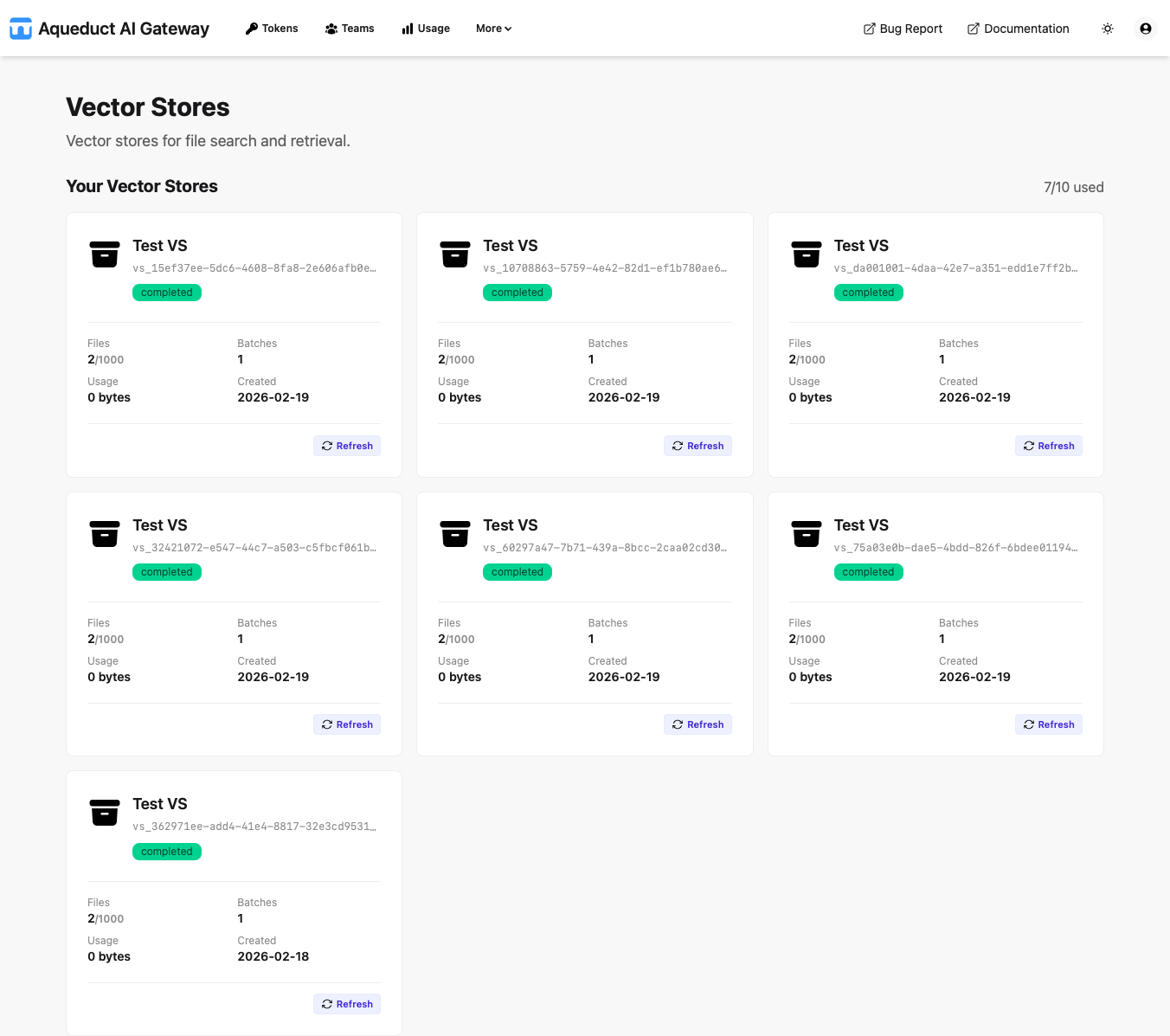
Vector stores contain files that are chunked, embedded, and indexed for efficient similarity search, powering features like file search and retrieval.
Your Vector Stores
The “Your Vector Stores” section displays a quota indicator (e.g., “7/10 used”) showing your current usage against the maximum allowed vector stores for your token.
Each vector store is displayed as a card showing:
- Header: The vector store name with a truncated unique ID (e.g., “Test VS” +
vs_15ef37ee...). - Status: A badge indicating the processing status.
- Files: The number of files in the store (e.g., “2/1000”).
- Batches: The number of file batches.
- Size: Total size of files in the vector store.
- Created: The creation date (e.g., “2026-02-19”).
- Refresh: Button to update the card’s data.
Team Vector Stores
Team-owned vector stores (if available) would appear in a separate section, displaying resources shared with or owned by your teams. This section follows the same card layout and functionality.
For detailed API usage, parameters, and examples, see the Vector Stores API reference.