MCP Servers
Table of contents
The MCP Servers page displays a list of Model Context Protocol (MCP) servers available in Aqueduct. MCP servers provide tools and capabilities that can be accessed through the Model Context Protocol.
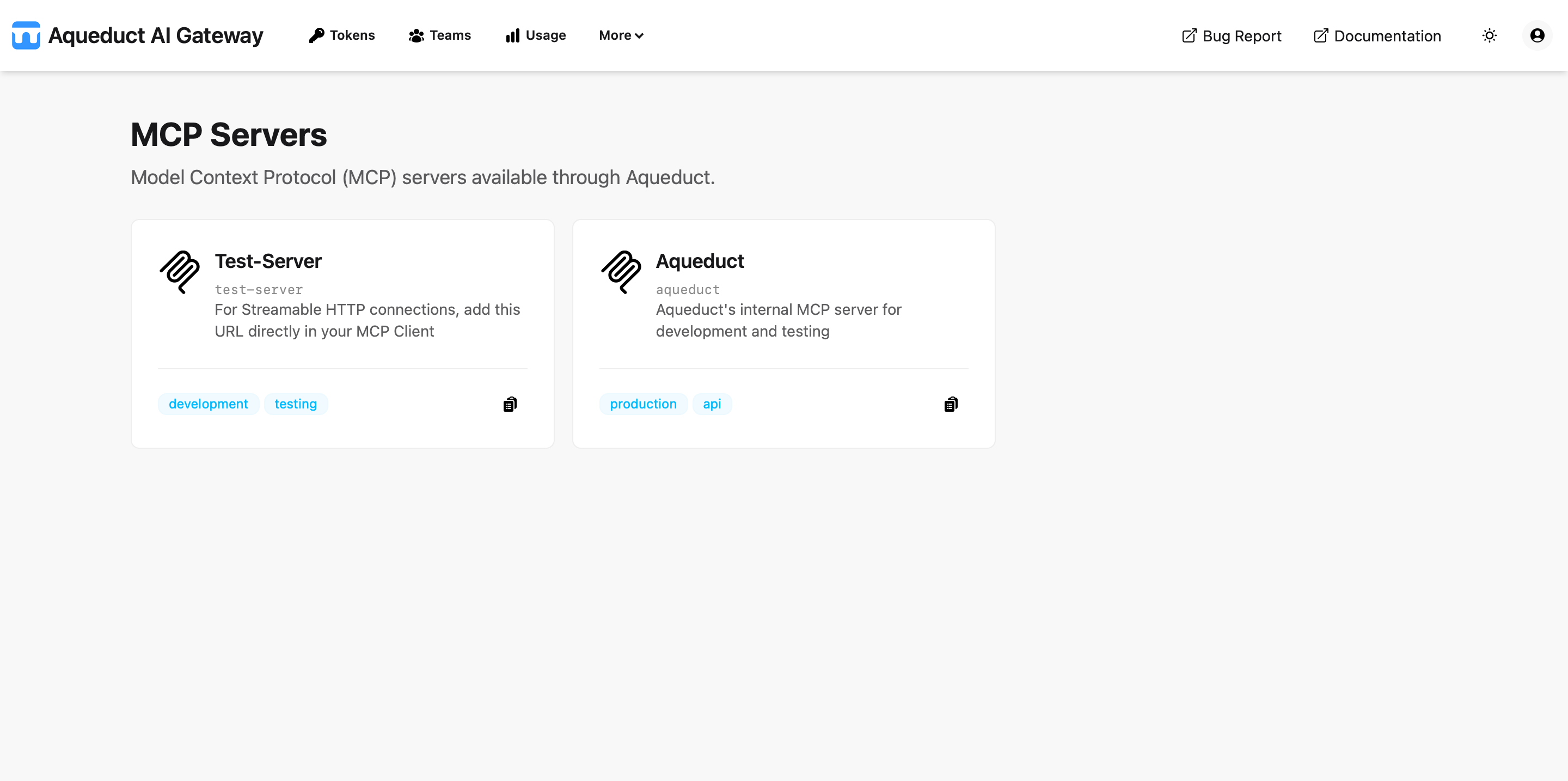
MCP Servers
Each MCP server card represents a configured endpoint that provides specific tools and functionality. The cards display both a formatted display name and the actual server identifier.
The server name shown in monospace font below the card title is the exact identifier you must use when making MCP requests through the API endpoints.
Server Information
Each MCP server card displays:
- Display Name: Formatted, capitalized name for visual identification
- Server Identifier: The actual name to use in API requests (shown in small monospace text)
- Description: Brief description of what the server provides
- Tags: Categories or labels to help identify server capabilities
- Copy Button: Click to copy the full server URL to the clipboard
Usage
To use an MCP server:
-
Copy Server URL: Click the copy button
 on any server card to copy the complete endpoint URL to your clipboard
 -
Use in API: Make requests to the copied URL using your Aqueduct token
Example: If the server name is my-cool-server, the URL is:
https://your-aqueduct-domain.com/mcp-servers/my-cool-server/mcp
For detailed API usage examples and specifications, refer to the MCP API reference.